Insights
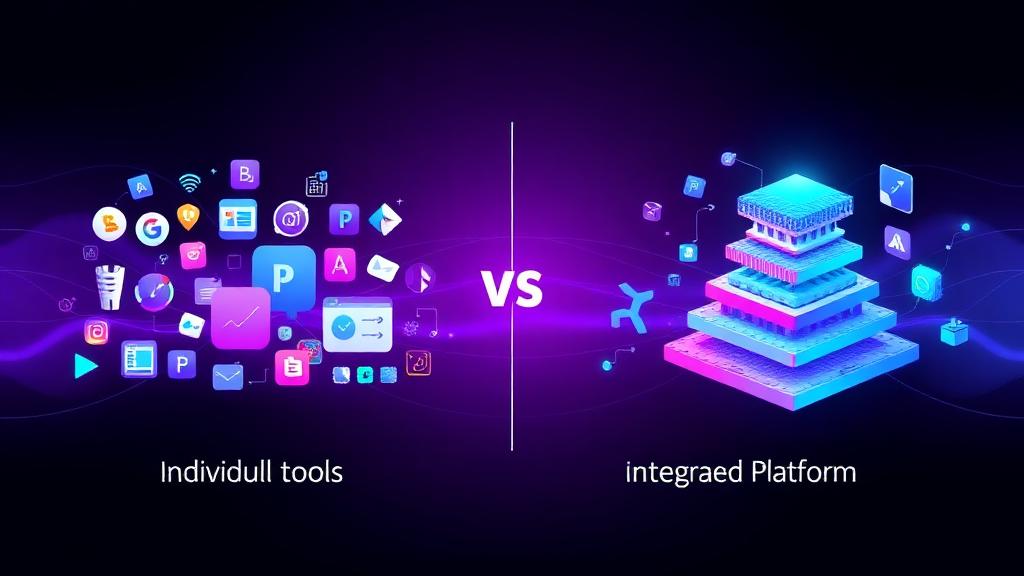
The Difference Between Tools and Systems in Automation
By Nodirjon Tadjiev · Published: · Last updated: · 11 min read
Nodirjon Tadjiev — Co-founder & Software Developer, IO Projects. Builds the AI automations and integrations IO Projects delivers to clients.
The Expensive Misunderstanding
"We have automation. We use Zapier/HubSpot/Salesforce/etc."
This is something we hear constantly. And it usually means one thing: they have tools, not systems.
The difference is why some companies transform through automation while others just spend money on software.
Tools vs. Systems Defined
- Zapier can connect apps
- HubSpot can manage contacts
- Slack can send messages
- OpenAI can generate text
- A lead qualification system that scores, routes, and nurtures prospects
- A customer support system that classifies, responds, and escalates appropriately
- An operations system that monitors, alerts, and takes corrective action
Tools are capabilities. Systems are solutions.
Most teams have tools. Few have systems. The difference is everything.
The Tool Trap
Here's what typically happens:
- Company identifies a problem
- Company buys a tool that addresses that problem
- Someone sets up the tool
- Initial excitement about possibilities
- Gradual realization that the tool alone doesn't solve the problem
- Tool becomes underutilized or abandoned
- Repeat with next tool
The result: a graveyard of tools that were supposed to transform things but didn't.
Why tools fail:
- Tools solve features, not problems
- Tools require integration to be useful
- Tools need processes wrapped around them
- Tools don't maintain themselves
- Tools don't adapt to changing needs
Most teams still copy-paste data between tools. Having more tools actually makes this worse without proper integration.
What Makes a System
A system has components that tools lack:
1. Clear Purpose
A system exists to produce a specific outcome. Not "manage contacts" but "convert inbound leads to qualified opportunities within 24 hours."
2. End-to-End Flow
A system handles the complete journey, not just pieces. From trigger to outcome, with all steps connected.
3. Error Handling
A system knows what to do when things go wrong. Fallbacks, escalations, alerts, recovery procedures.
4. Monitoring
A system tracks its own performance. Is it working? How well? What's breaking?
5. Maintenance
A system has owners responsible for keeping it working. Updates, fixes, improvements.
6. Documentation
A system is understandable by people who didn't build it. Logic, dependencies, troubleshooting.
Real Example: Lead Qualification
Tool Approach:
- Buy HubSpot
- Import leads
- Create some fields for lead scoring
- Build a basic workflow
- Hope it works
Result: Leads pile up. Scoring is inconsistent. Hot leads wait while cold leads get calls. Nobody trusts the system.
System Approach:
- Define the outcome: Qualified leads routed to right rep within 2 hours
- Map the complete flow:
- Handle edge cases:
- Build monitoring:
- Assign ownership:
Result: Every lead is handled consistently. Hot leads get immediate attention. Performance is visible and improvable.
Leads go cold because no one follows up fast enough. A system ensures follow-up happens. Tools just make it possible.
The System Components
Every functional automation system needs:
Integration Layer
- APIs and webhooks
- Data transformation
- Error handling
- Retry logic
Orchestration Layer
- Triggering actions
- Routing decisions
- Sequencing steps
- Handling dependencies
Intelligence Layer
- Classification
- Scoring
- Prioritization
- Content generation
Monitoring Layer
- Throughput metrics
- Error tracking
- Performance dashboards
- Alerting
Human Interface
- Exception handling queues
- Override capabilities
- Feedback mechanisms
- Manual triggers
Building Systems, Not Buying Tools
The mindset shift:
From: "What tool solves this problem?" To: "What system do we need, and what tools support it?"
From: "Let's try this tool and see." To: "Let's design the solution and then select tools."
From: "We'll figure it out as we go." To: "We'll plan for integration, errors, and maintenance from the start."
The Design Process
1. Start with Outcomes
- "Leads contacted within 2 hours" not "better lead handling"
- "80% of support tickets resolved automatically" not "improved support"
- "Daily revenue report by 8 AM" not "better reporting"
2. Map the Complete Flow
- What starts the process?
- What happens at each step?
- What decisions need to be made?
- What's the end state?
3. Identify Edge Cases
- Missing data
- System failures
- Unusual inputs
- Exceptions to rules
4. Design Monitoring
- What metrics matter?
- What alerts are needed?
- How will you troubleshoot?
5. Plan Maintenance
- Who owns the system?
- How often is it reviewed?
- How are improvements made?
6. Select Tools
- What capabilities are needed?
- How do they integrate?
- What are the costs?
This is exactly how we approach every project. System design first, tool selection second.
The ROI Difference
- Cost: Software subscription
- Return: Depends on adoption and usage
- Typically: Low because tools don't solve problems alone
- Cost: Design + implementation + tools + maintenance
- Return: Measurable outcomes achieved consistently
- Typically: High because systems solve complete problems
The upfront investment in systems thinking pays dividends forever.
Signs You Have Tools, Not Systems
- Your automation breaks when someone changes something
- Nobody knows how everything connects
- You have the same problems the tools were supposed to solve
- Workarounds are common because the automation doesn't handle edge cases
- You've bought multiple tools that overlap
- ROI is unclear because outcomes aren't tracked
The Path Forward
If you currently have tools without systems:
- Audit what you have: What tools exist? How are they connected? What's actually working?
- Identify a complete workflow: Pick one end-to-end process that matters.
- Design the system: Map, document, plan for errors and monitoring.
- Implement properly: Connect tools into a coherent whole.
- Monitor and maintain: Track performance, fix issues, improve continuously.
- Expand: Apply system thinking to the next workflow.
Reports take hours when they could take minutes. Tools make this possible. Systems make it happen reliably, every time.
The goal isn't more tools. It's better systems.
And systems are designed, not purchased.
Tagged: Strategy, Automation, Best Practices